

What is EM Express?
Oracle Enterprise Manager Database Express (EM Express) is a web-based database management tool that is built inside the Oracle Database.
https://Hostname:Port/em
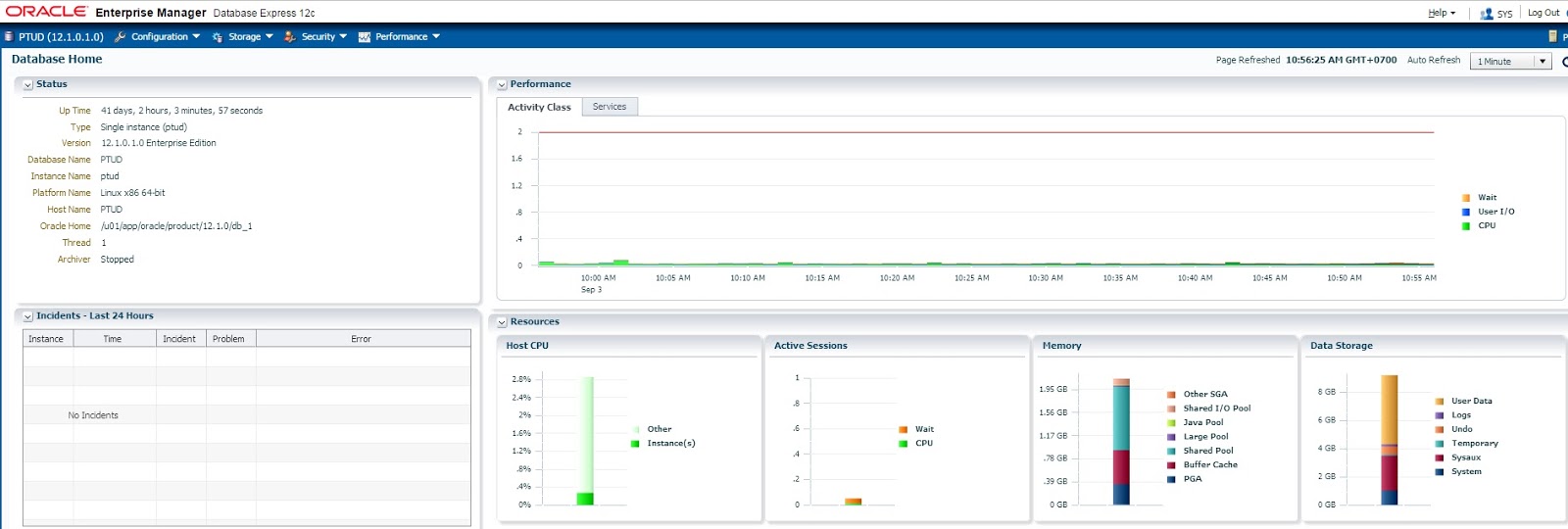
EM Express features?
These Enterprise Manager Database Express features described below can be used
against non-CDBs, CDBs, PDBs, or Oracle RAC database instances.
Configuration:
• Initialization parameters (init.ora) management
• Memory management
• Database Feature Usage
• Database Properties
Security:
• Users management
• Roles management
• Profiles management
Storage:
• Tablespace management
• Undo management
• Redo management1
• Archive log management1
• Control files management1
Performance:
• Performance Hub, which includes these features:
• Real-time performance monitoring and tuning
• Historical performance and tuning
• SQL monitoring (real-time and historical)
• Database operations monitoring
• ADDM, including Real-Time ADDM
• Active Session History (ASH) Analytics
• Automatic and manual SQL Tuning Advisor
Starting EM Express
Starting EM Express for Non-CDB:
Get HTTPS port for EM Express.
SQL> select dbms_xdb_config.gethttpsport() from dual;
Set Https Port for EM Express.
SQL> exec DBMS_XDB_CONFIG.SETHTTPSPORT(5500);
Starting EM Express for a CDB:
Get Https Port for EM Express
SQL> alter session set container=CDB$ROOT;
SQL> select dbms_xdb_config.gethttpsport() from dual;
Set Https Port for EM Express
SQL> alter session set container=CDB$ROOT;
SQL> exec DBMS_XDB_CONFIG.SETHTTPSPORT(5501);
Starting EM Express for a PDB
Get Https Port for EM Express
SQL> alter session set container=PDB1;
SQL> select dbms_xdb_config.gethttpsport() from dual;
Set Https Port for EM Express
SQL> alter session set container=PDB1;
SQL> exec DBMS_XDB_CONFIG.SETHTTPSPORT(5502);
Granting Access to EM Express for Nonadministrative Users
[oracle@PTUDServer3 ~]$ sqlplus / as sysdba
SQL*Plus: Release 12.1.0.1.0 Production on Thu Sep 3 17:13:35 2015
Copyright (c) 1982, 2013, Oracle. All rights reserved.
Connected to:
Oracle Database 12c Enterprise Edition Release 12.1.0.1.0 - 64bit Production
With the Partitioning, OLAP, Advanced Analytics and Real Application Testing options
SQL> create user thonh15 identified by thonh15;
User created.
SQL> grant EM_EXPRESS_BASIC to thonh15;
Grant succeeded.
SQL> commit;
Commit complete.
SQL> create user tuongnx identified by tuongnx;
User created.
SQL> grant EM_EXPRESS_ALL to tuongnx;
Grant succeeded.
SQL> commit;
Commit complete.
SQL> exit
Disconnected from Oracle Database 12c Enterprise Edition Release 12.1.0.1.0 - 64bit Production
With the Partitioning, OLAP, Advanced Analytics and Real Application Testing options


